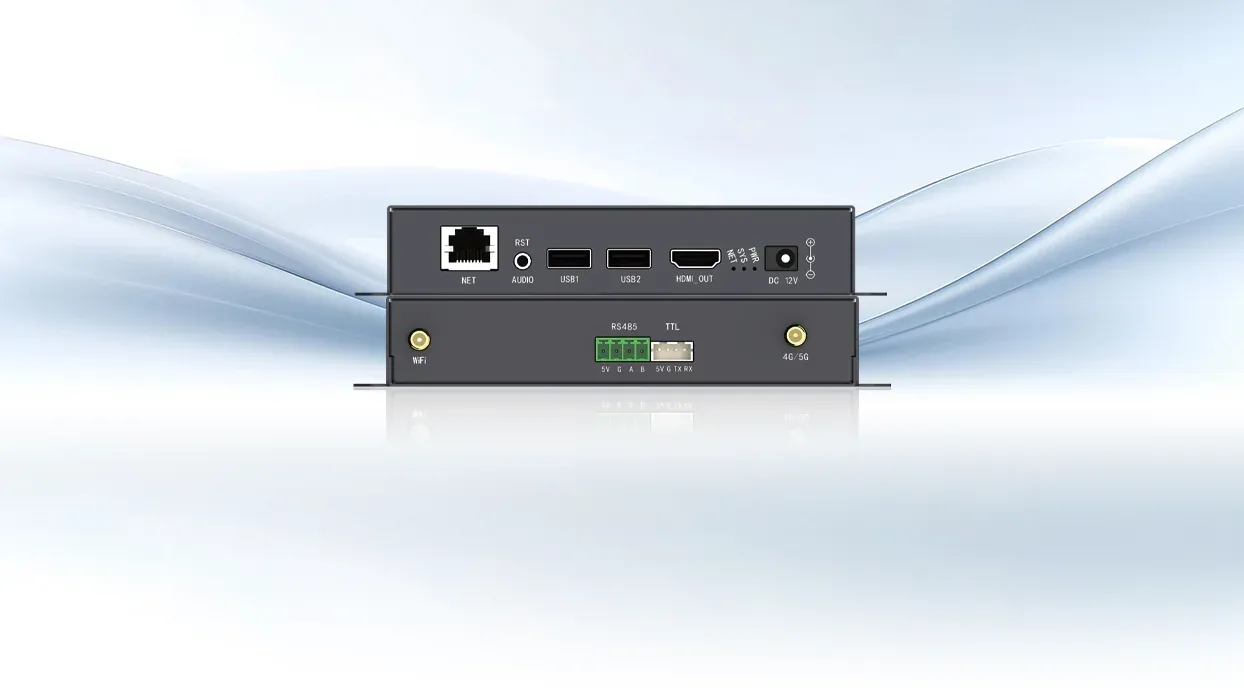
A scheduled item reaches a digital-signage screen through a chain of events. It is assembled in an editor, transferred to an endpoint, stored locally, decoded at the appointed time, composed with other media, and sent to the display. A Media Player Box is dedicated hardware that carries out that endpoint workflow, usually without requiring a general-purpose computer to remain attached.
From Program Creation to Local Storage
The process begins with a playlist rather than a raw folder of files. Layout, timing, order, and screen orientation are defined in editing or management software. The program is then sent over a network or copied by USB. Once received, the Media Player Box retains the assets locally so routine playback does not depend on the network delivering every frame.
The transfer stage needs a clear completion rule. A management platform may report that a job was sent even though an endpoint received only part of a large file or has not yet activated the new playlist. Checksums, version identifiers, download status, and activation time separate delivery from playback.
Local fallback content can then remain active until the replacement package is complete and verified. Activation records should identify the package version that actually reached the screen, not merely the version submitted by the publishing system. Local storage also provides a clear publication boundary.
The box can continue running the last valid program during a connection interruption, while the management platform later resumes an incomplete transfer. The storage requirement follows media bitrate, playlist length, update frequency, and the need for backup material.
Decoding and Composition Create the Display Frame
At playback time, the processor reads compressed video, images, audio, and text and converts them into frames. If the program contains multiple windows, the Media Player Box places each element on a canvas before output. Codec support, resolution, frame rate, and simultaneous window limits determine whether the approved program can run smoothly.
Kystar KP4K-G illustrates an HDMI-output implementation. It supports 2K/4K HDMI output, portrait or landscape rotation, mainstream media formats, and a standard 60Hz output. Under multi-window playback, KP4K-G can compose as many as three 1080p video windows or five 720p windows together with more than ten image windows. The output can feed an LCD or another processing device.
Some Boxes Extend into the LED Control Chain
Not every endpoint stops at HDMI. Kystar KPB12 is a Media Player Box architecture that integrates sending, receiving, and playback functions. Twelve HUB-75E interfaces connect directly to LED modules, allowing up to 200,000 pixels to be driven without a separate receiving-card chain. With Kystar receiving cards, the supported total load reaches 600,000 pixels.
Its onboard capacity is 8GB, expandable through USB; the playback engine can run up to five high-definition video streams at the same time. This integrated form can reduce component count in suitable LED products, but it also makes the player’s pixel load, module interfaces, and replacement strategy part of the display design.
Remote Commands Travel Separately from Playback
In a networked estate, a Media Player Box communicates with a management platform for publishing and supervision. Through Kares Cloud, the endpoint can use WAN, LAN, or optional 4G/5G connections while reporting terminal status and playback screens and receiving batch commands for volume, brightness, power, restart, and program playback. Schedules can use loops, fixed times, or immediate and timed insertions.
These messages update or control the endpoint; they do not have to carry the active video continuously. Hierarchical authorization determines who can manage users, terminals, materials, and playlists. Breakpoint resumption lets interrupted operations continue, while remote screen locking limits unauthorized changes.
Reliability Depends on Closing the Loop
A functioning endpoint workflow includes confirmation, not just transmission. The operator needs evidence that the terminal is online and presenting the intended program. Screen acquisition and status reporting provide that visibility.
Local storage protects playback from network loss, and watchdog or power-cycle monitoring can address certain unattended faults, although site power and thermal design remain separate responsibilities. Program tools complete the loop.
Kystar PE supports professional editing and scheduling, while Pandora workflows provide convenient wireless or web-based changes. USB remains useful for local commissioning or recovery even when cloud distribution is the normal method. Commissioning establishes the baseline for that loop.
The installer can load a known test program, verify every media window, confirm orientation and audio, interrupt the network during playback, and then check whether a partial update resumes. A controlled restart should return the endpoint to its documented schedule.
For fleet deployments, the record should include terminal identity, assigned group, firmware, storage use, output timing, and the current recovery package. If a unit fails later, those details let a replacement be prepared without recreating the original setup from memory. In this sense, the box is both a playback engine and a maintainable configuration endpoint.
The device works by turning a managed program into a locally generated display signal, then reporting enough state for the operator to supervise it. A Media Player Box is most useful when screens need autonomous schedules, repeatable updates, and a defined endpoint that can be serviced independently of the content creator’s computer.
Its success is measured not only by whether a file plays once, but by whether the full cycle of publish, store, decode, output, verify, and recover remains dependable over time, with Kystar tying the player to its wider control ecosystem.
